

Learning for the shopfloor, the store and the field
Give staff without a work email an account keyed by their employee number and a PIN. They sign in on their own phone or on a shared tablet at the workstation, and their progress, certificates and reports work like any other learner’s.
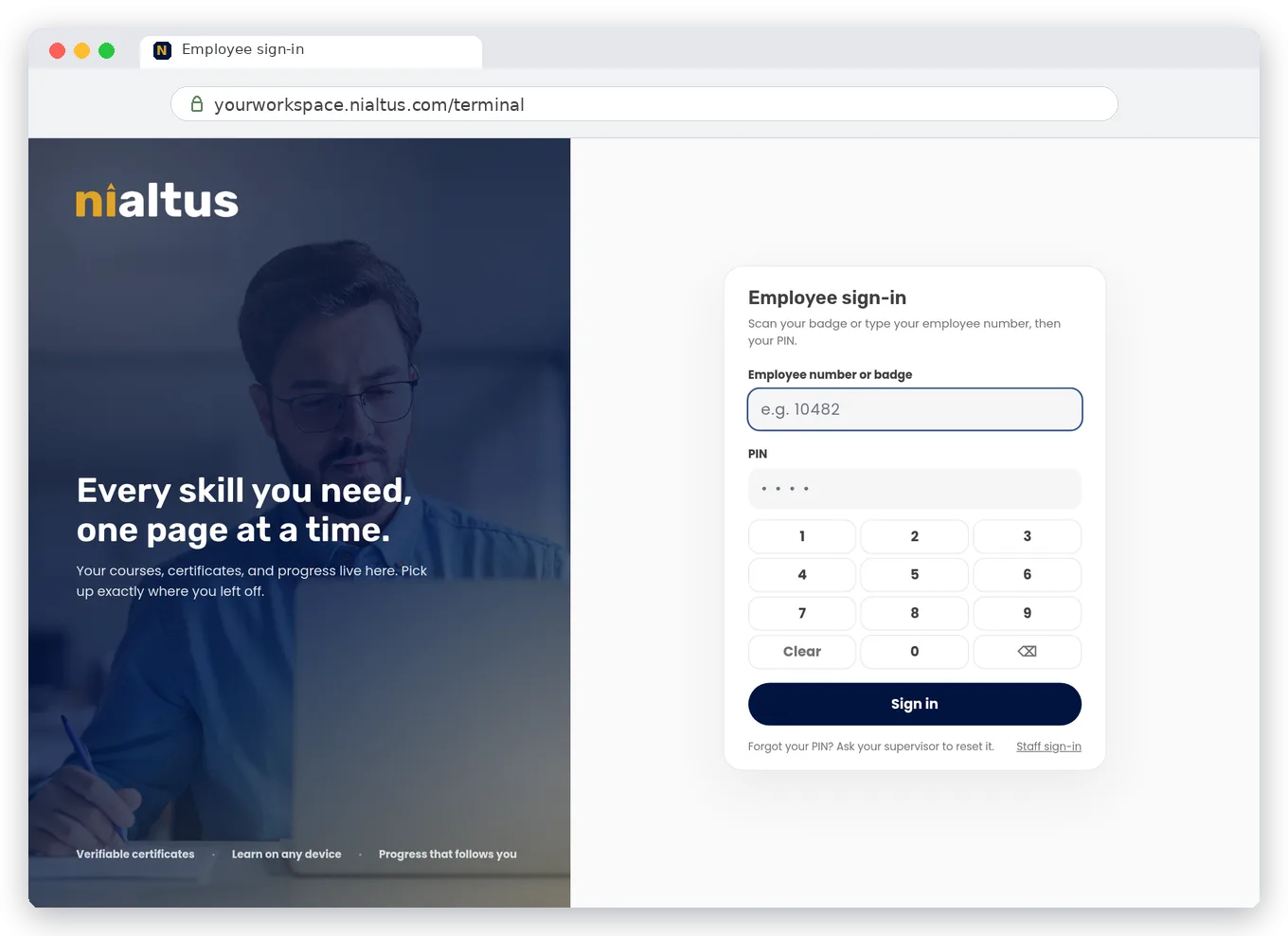
Three ways frontline staff sign in
The same platform, reached from the phone in their pocket, the tablet on the floor, or the badge on their lanyard.
On their own phone
Each person opens yourworkspace/terminal on their phone, enters their employee number and PIN, and starts learning. No email address, no invitation to chase.
On a shared device
A supervisor turns a tablet or desktop into a shared device in one step. It shows the employee sign-in screen with an on-screen keypad, ready for the next person.
With a QR badge
Print badges from the LMS in standard ID card size. A USB or Bluetooth scanner, the device camera, or a phone camera reads the badge, and the PIN confirms it is really them.
Supervisors run their team from one screen
Adding a person from My team takes a moment. The supervisor gets a temporary PIN shown once and hands it over. At the person’s first sign-in, the temporary PIN is replaced by a private one that only they know.
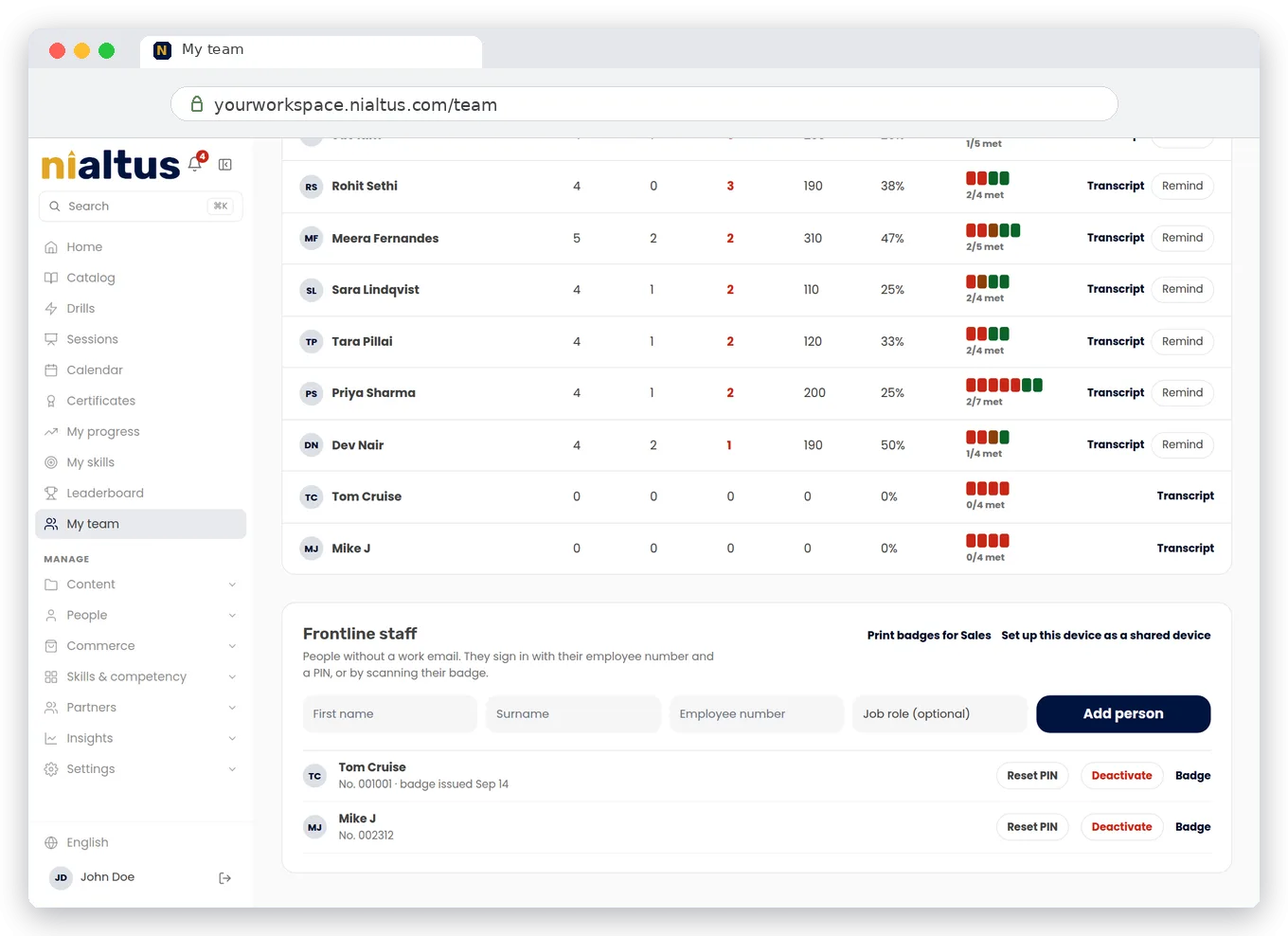
Shared devices that keep accounts separate
On a shared tablet or desktop, each person is signed out automatically after a set idle time, with a warning first. The next person never sees someone else’s account. They just see the keypad, ready for them.
Everything else works the same
A frontline account is a full learner account. Only the way in is different.
Built for manufacturing, retail, hospitality, healthcare and logistics, where most of the workforce never opens a laptop. Frontline learning is an add-on available on every Nialtus plan.
Questions we hear a lot
Straight answers about training staff who do not have a work email.
Book a demo and we will set up a shared tablet and a badge sign-in in front of you.