

One account, a workspace for every partner
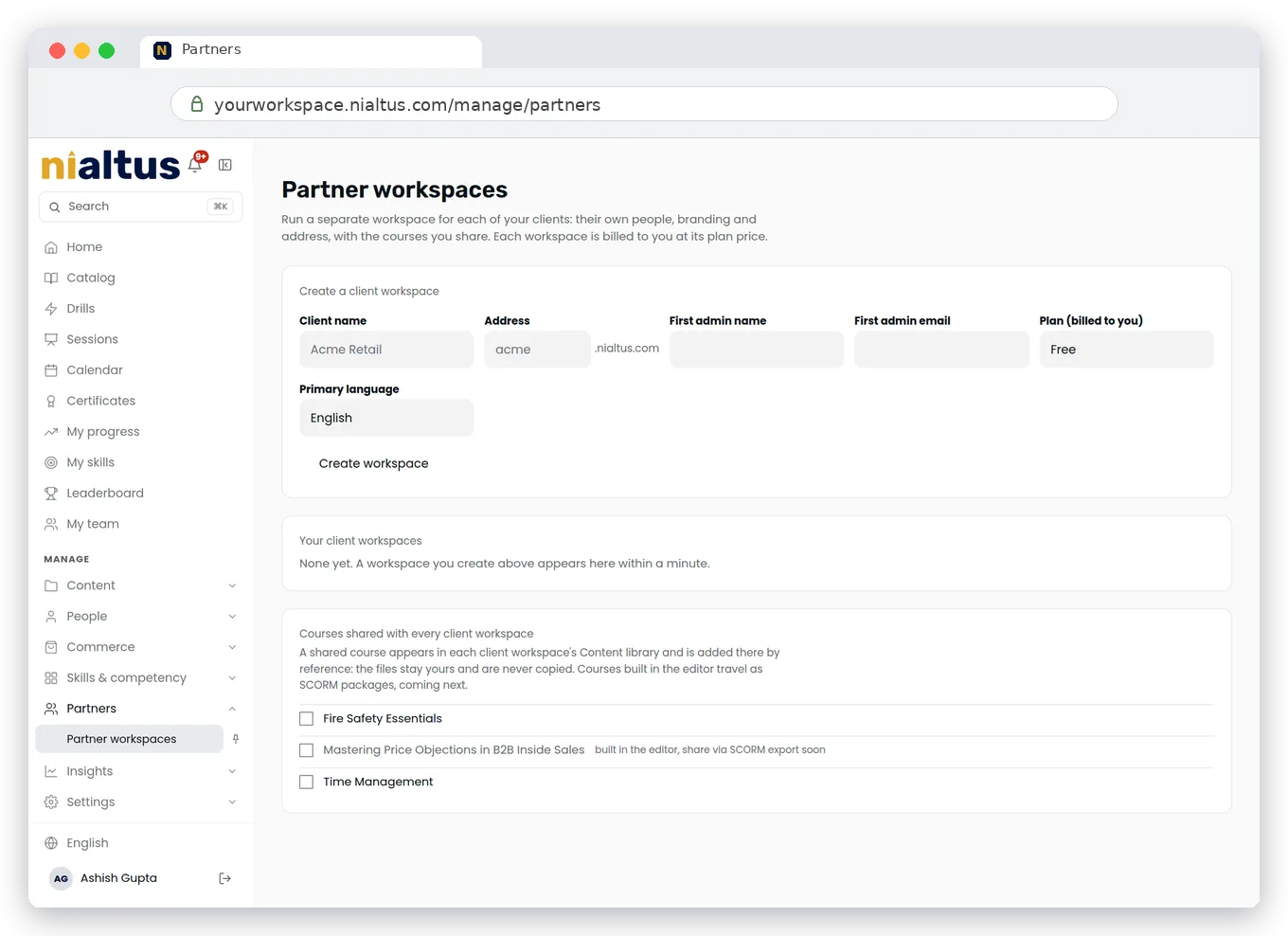
Create child workspaces for resellers, franchisees and clients under your own account. Each partner gets its own admins, learners, branding and address, while you share courses by reference and see how every partner is doing.
Three ways to reach learners outside your company
Give partners their own space, keep one set of courses, and reach client learners in the LMS they already use.
A workspace per partner
Create a child workspace for each reseller, franchisee or client under your account. Each has its own admins, learners, branding and address.
Courses shared by reference
Share a course with a partner and they add it to their catalog without a copy. One version to maintain, every partner up to date.
Delivered into their LMS
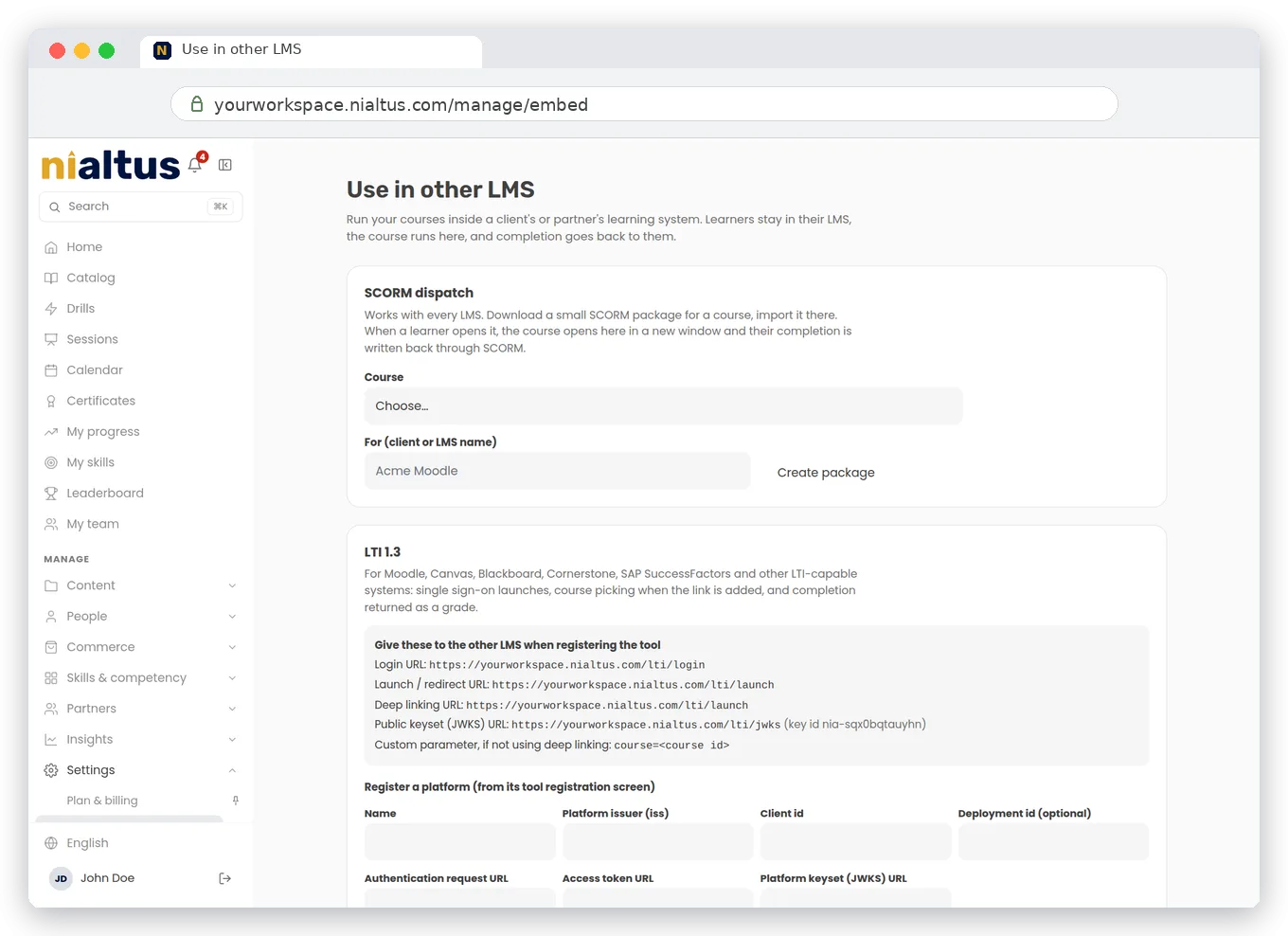
For clients who already run an LMS, deliver courses through SCORM dispatch, LTI or xAPI from the Use in other LMS screen. Completions flow back.
Use in other LMS
Some clients want your courses inside their own platform. From the Use in other LMS screen you create a SCORM dispatch package, an LTI link or an xAPI connection, and the client loads it into their LMS. Completions flow back to you.
See how every partner is doing
Partner workspaces are not black boxes. The parent sees partner activity across its child workspaces, so you know which partners are active and where learners are getting through.
What a partner workspace comes with
Everything a partner needs to run learning under its own name, on your courses.
Resellers, franchise networks and training companies with many clients run on one Nialtus account. Partners get their own workspace, and clients with their own LMS get your courses through SCORM dispatch, LTI or xAPI.
Questions we hear a lot
Straight answers about running partners and clients from one account.
Book a demo and we will create a partner workspace and share a course into it live.