

Reporting & analytics

The numbers leadership asks for, a click away

See completions, scores, and hours at a glance, build the exact report you need, and export it in seconds. The answers to who did what, and how it is going, without waiting on a data team.
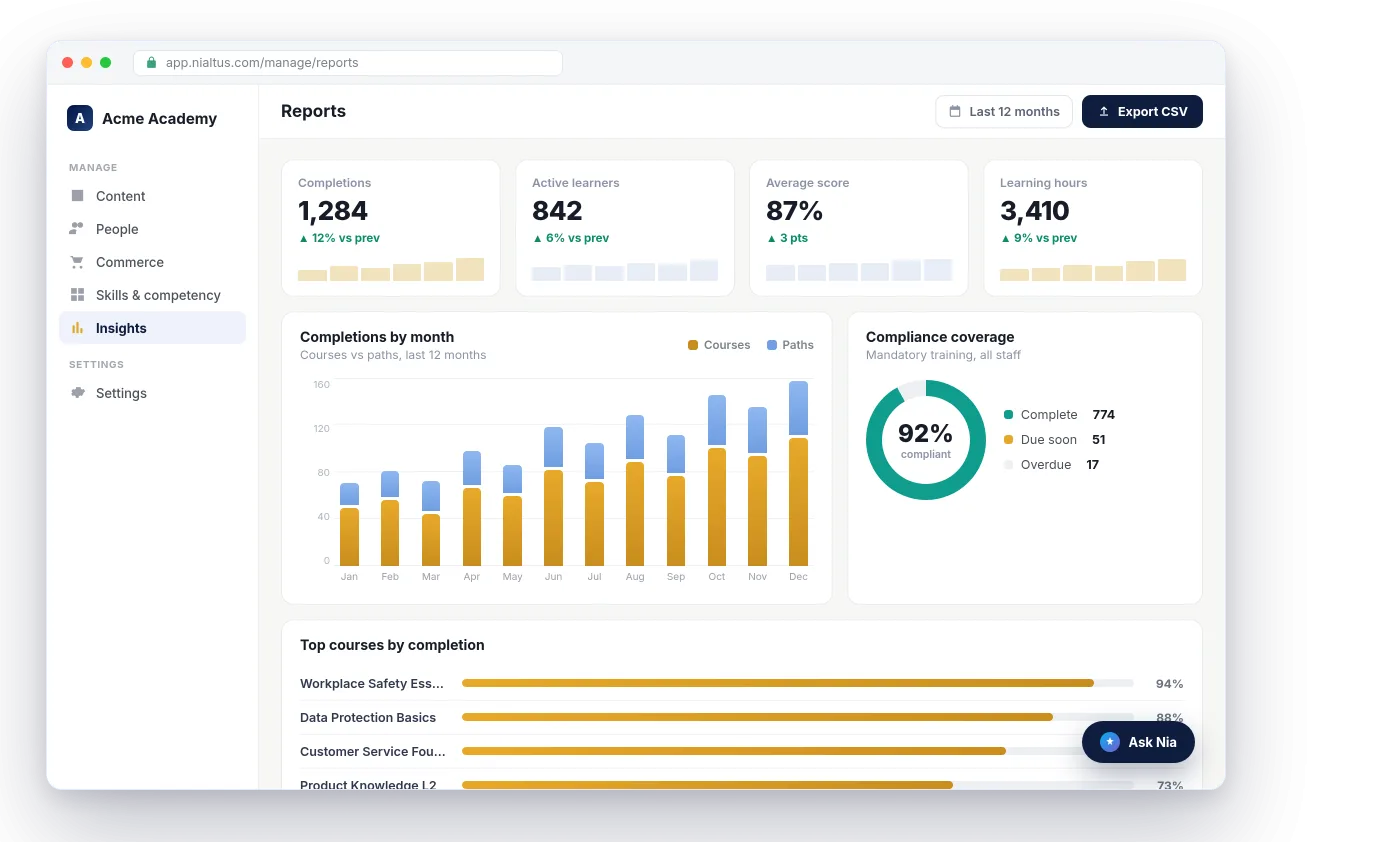
Nialtus reports dashboard
Dashboards
Custom report builder
Learning analytics
CSV exports
Filter by anything
Scheduled reports

Three ways you get answers, not just data

From a dashboard glance to the exact export a board pack needs.

See it at a glance

Dashboards show completions, scores, and hours as they happen, so you always know how a program is doing without building anything.

Build the exact report

Pick the fields and filters you need, from learner and course to team and date, and get the report you actually want, not a fixed template.

Export in seconds

Pull any view to CSV for a board pack or a spreadsheet, so the number you need is never locked inside the platform.

Answer the questions leadership asks

How many finished, how they scored, how long it took, and how that is trending. The dashboards put the headline numbers front and center, so you can answer the room before the meeting even starts.

  • Completions, scores, and hours at a glance
  • Trends so you see the direction, not just today
  • Filter down to a team, a course, or a date range
This month
1,240
Completions
▲ 12%
84%
Average score
▲ 3 pts
Report builder
LearnerCourseCompleted onScoreTeam
Filtered to Sales team, last 90 days
Run reportExport CSV

Build the report you actually need

Choose the columns, set the filters, and Nialtus builds the report around your question instead of a fixed template. Then export it to CSV, or schedule it to land in your inbox.

  • Pick fields and filters to fit the question
  • Export to CSV for a board pack or a spreadsheet
  • Schedule a report to arrive on a cadence

Analytics that answer real questions

From a live dashboard to a custom export, without waiting on anyone.

Dashboards
Live completions, scores, and hours, front and center.
Custom report builder
Pick fields and filters and build the report you need.
Learning analytics
See trends and where a program is stalling.
CSV exports
Pull any view for a board pack or a spreadsheet.
Filter by anything
Team, course, date, role, drill right down.
Scheduled reports
Have a report land in your inbox on a cadence.
Learning hours
Active learning time and credit hours by department, person and course, on every plan.
Content health
Published courses that need attention, each with a plain reason and a link straight to the fix.
Lesson drop-off
For any course, how many people opened and finished each lesson, in order.
Learning outcomes
Are people using it, finishing, passing first time, turning up, and finishing on time?
Sign-in activity
Who signs in, how often, and who never has.
Monthly leadership scorecard
One page on the 1st of each month: active learners, completions, hours, dropout, overdue and compliance, against the month before.
My results and transcripts
Learners see status, due dates, scores and certificates, and download a transcript.
Team and assignment views
Managers see their team by person and by course. Anyone who assigns gets My assignments.
Compliance and board pack
On Growth and above, a compliance dashboard and a board-ready PDF. See executive reporting.

Learning Everest has reported program impact to enterprise sponsors for years. Nialtus surfaces the same numbers a stakeholder asks for, without waiting on a data team.

Questions we hear a lot

Straight answers about getting to the number you need.

Want a report built live?

Book a demo and we will build the exact report your leadership asks for.

Book a demo

Yes. Choose the columns and filters you need and Nialtus builds the report around your question, then exports it to CSV.
Yes. Drill down by team, course, role, or date, so the numbers reflect exactly the slice you care about.
Yes. Schedule a report to run on a cadence and land in an inbox, so the update arrives without anyone pulling it.
Yes. Imported and native content report together, in the same dashboards and exports.
My results shows every course with its status, progress, due date, completion date, score and certificate, and each assessment with the best score, the pass mark and attempts used. The transcript, on screen and as a PDF, includes due dates, scores and time spent.
Yes. My team shows progress and overdue work by person and by course, and the team downloads as a CSV on every plan. Anyone who assigns training also gets My assignments, a list of everything they assigned. See tools for managers.
Yes, on Growth and above: a compliance dashboard by department and team, a board pack PDF you can schedule, and training cost and return where you record them. Learning hours are on every plan. See executive and compliance reporting.

Get the answers before the meeting

Book a demo and we will build the exact report your leadership asks for.