

Single sign-on and SCIM

Single sign-on and SCIM provisioning for your workforce

Let people sign in with the work account they already use, through SAML 2.0 or OpenID Connect. Create accounts the first time someone signs in, and keep people in step with your directory through SCIM 2.0. Available on Scale and Enterprise.
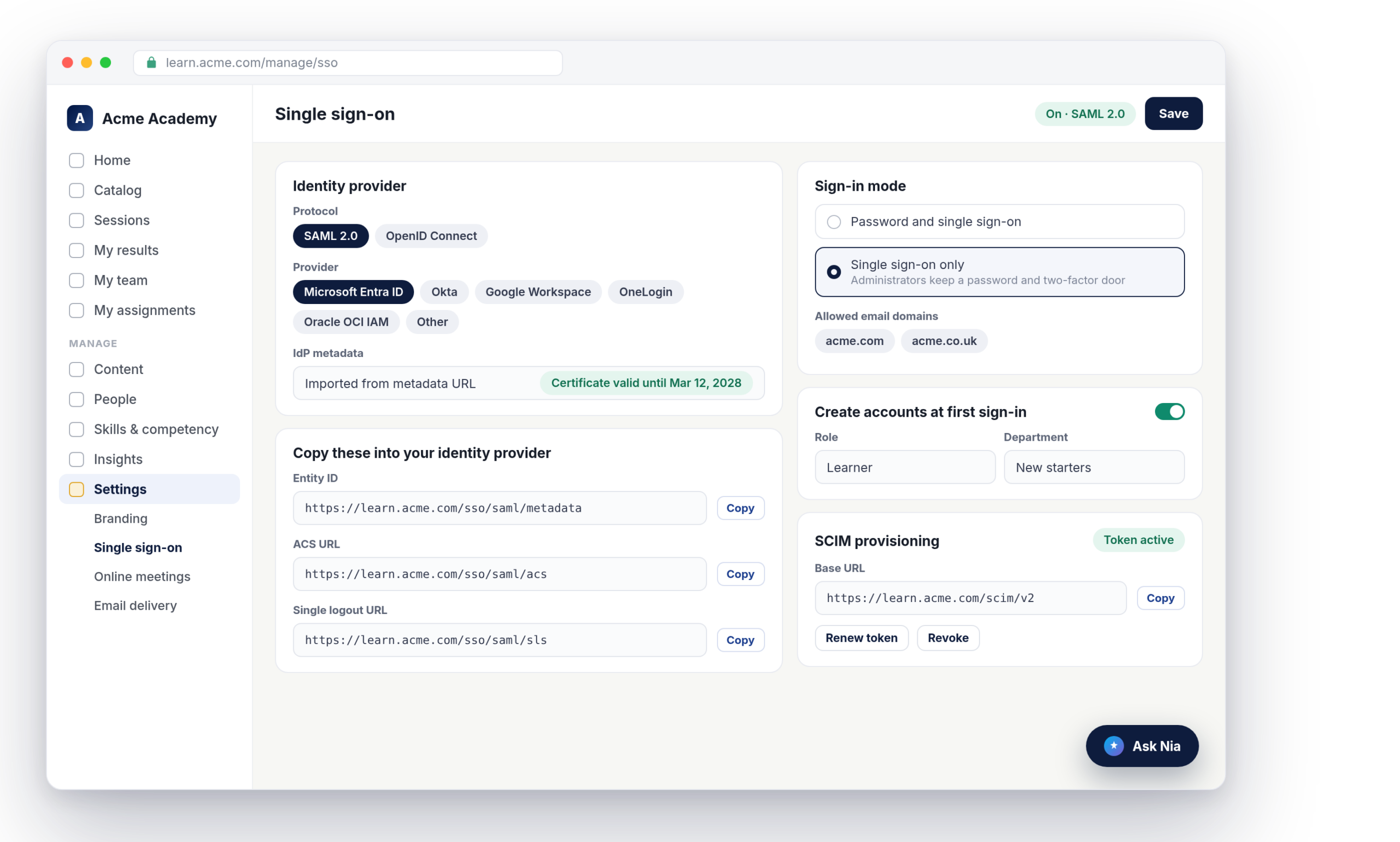
Nialtus single sign-on settings with SAML, provider presets and SCIM provisioning
SAML 2.0 and OpenID Connect
Entra ID, Okta, Google, OneLogin, Oracle
SSO-only mode
Accounts at first sign-in
SCIM 2.0 provisioning
Every change audit-logged

One less password for everyone

Your identity provider stays in charge of who gets in. Nialtus follows it.

Sign in with the work account

A “Sign in with” button on your login page sends people to Microsoft Entra ID, Okta, Google Workspace, OneLogin or Oracle OCI IAM, or any SAML 2.0 or OpenID Connect provider, and back again.

Close the password door

Switch to single sign-on only and nobody can use a password, except a full administrator with two-factor turned on. That keeps a way in if your identity provider is ever down.

Joiners and leavers handled

With SCIM 2.0, your directory creates, updates and deactivates people in Nialtus. Groups map to your departments, so the org structure follows too.

Set up in one screen, with your provider in mind

Pick SAML or OpenID Connect, then choose your provider. Nialtus shows the values to copy into it, each with a Copy button, and step-by-step setup notes for Entra ID, Okta, Google Workspace, OneLogin and Oracle. For SAML, import your provider’s metadata from a URL or paste the XML, and Nialtus fills in the rest and shows when the certificate expires.

  • Provider presets with in-app setup notes
  • Metadata import for SAML
  • Client secrets encrypted and never shown again
Single sign-on
On
Protocol
SAML 2.0
Change
Provider
Microsoft Entra ID
Setup notes
ACS URL
learn.acme.com/sso/saml/acs
Copy
Certificate valid until Mar 12, 2028
Create accounts at first sign-in
On
Role
Learner
Department
New starters
Allowed domains
acme.com, acme.co.uk
Profile sync never changes a role or a password

Accounts created the first time someone signs in

Turn on just-in-time accounts and a person who signs in through your provider gets a Nialtus account on the spot. You choose the role they start with, which is never admin, and a default department. Their name, employee number, department and job title can come across from your provider, and can stay in sync at each sign-in.

  • Starting role and department you choose
  • Allowed email domains required
  • Seat limits respected, with a clear message

SCIM keeps the list right without anyone typing

Point your identity provider at the SCIM base URL with a token from Nialtus. People added in your directory appear here, changes flow through, and people you remove are deactivated rather than deleted, so their training records stay. Groups become departments. The token is shown once and can be renewed or revoked at any time.

  • Create, update and deactivate people
  • Groups mapped to departments
  • Admins can never be deactivated by SCIM
SCIM provisioning
Token active
PM
Priya Menon
Created from Entra ID
Today
RK
Rahul Khanna
Moved to Sales North
Today
LT
Lena Torres
Deactivated, records kept
Yesterday

What single sign-on includes

The pieces an identity team asks about, built in.

SAML 2.0 and OIDC
Signed SAML responses, or OpenID Connect with PKCE. Your choice per workspace.
Five provider presets
Microsoft Entra ID, Okta, Google Workspace, OneLogin and Oracle OCI IAM, plus any other standard provider.
SSO-only with break-glass
Only a full admin with two-factor can still use a password.
Just-in-time accounts
Accounts created at first sign-in, with the role and department you set.
SCIM 2.0
Provision, update and deactivate people and groups from your directory.
Audit log
Settings changes, refused sign-ins and SCIM changes are all recorded.

Nialtus is built and run by Learning Everest, a training company that has answered security questions for enterprise clients for years. Single sign-on is built to pass the review your IT team will run.

Questions we hear a lot

Straight answers about single sign-on and SCIM.

Want to see it with your provider?

Book a demo and we will walk through the setup for your identity provider, step by step.

Book a demo

Single sign-on and SCIM are included with Scale and Enterprise. See the pricing page for what each plan includes.
Nialtus has presets and setup notes for Microsoft Entra ID, Okta, Google Workspace, OneLogin and Oracle OCI IAM. Any provider that speaks SAML 2.0 or OpenID Connect can be set up as Other.
Yes. In single sign-on only mode, everyone signs in through your provider. A full administrator with two-factor authentication turned on can still use a password, so you are never locked out.
When your directory removes or deactivates them through SCIM, their Nialtus account is deactivated. It is never deleted, so their training history stays for your records.
Only full administrators. Branch administrators and custom roles cannot open the page, because whoever controls sign-in controls access to everyone.
Shared-device sign-in with an employee number and PIN keeps working in single sign-on only mode, because frontline staff often have no account in your provider.

Hand your IT team the setup notes

Book a demo and we will show single sign-on and SCIM working with your identity provider.